

The budget for a home office usually starts with a desk, a chair, and maybe a monitor. Then reality sets in. Freelancers who have been through the process once know there’s a second invoice hiding behind the first — the one full of expenses nobody thought to plan for. These aren’t luxury add-ons; they’re functional requirements that surface only after work has already started. Knowing what they are before writing the first check makes the difference between a workspace that actually works and one that costs more to fix than it did to build.
Connectivity and Power Infrastructure
The assumption is that an existing home network is good enough. For video calls and file transfers, it often isn’t — at least not without some investment. A dedicated ethernet run from the router to the office typically costs between $150 and $400 installed, depending on wall construction and distance. Wi-Fi extenders are cheaper but introduce latency that compounds during back-to-back meetings.
Power is the other surprise. Most residential rooms weren’t wired for sustained professional equipment use. Running a desktop, dual monitors, a lamp, a printer, and charging cables off a single circuit creates real risk — not just inconvenience. An electrician adding a dedicated 20-amp circuit runs $200 to $400 in most markets.
The decision between handling this at setup versus later isn’t really a decision at all. Retrofitting electrical and ethernet infrastructure after furniture is in place costs significantly more and requires patching walls. The planning window is during the initial build-out.
- Have a licensed electrician assess the existing circuit load before purchasing high-draw equipment like laser printers or desktop workstations.
- Budget at least $300 for ethernet installation even if the room is close to the router — conduit, faceplate hardware, and labor add up quickly.
- Install a minimum of two dedicated outlet clusters rather than relying on a single power strip to avoid tripping breakers during peak usage.
Acoustic Treatment and Sound Control
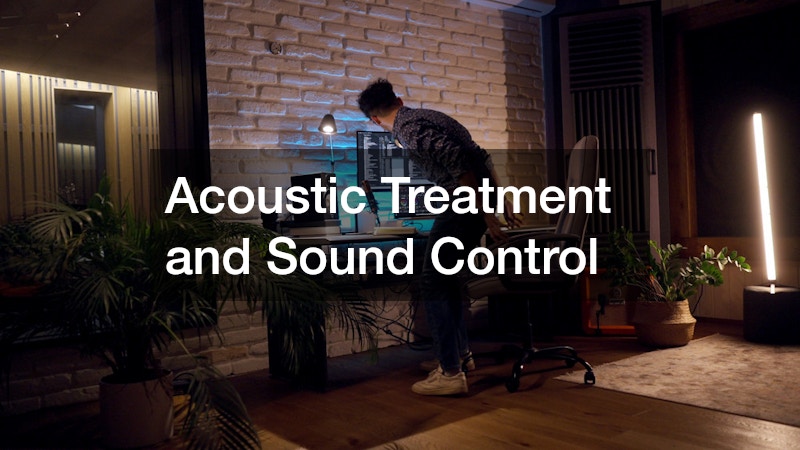
Freelancers who work in client-facing roles — consulting, coaching, producing audio or video — treat acoustics as optional until the first client complaint. The problem is that untreated rooms produce echo, reverb, and background noise pickup that make recordings and calls sound unprofessional in ways that are immediately noticeable.
Acoustic panels handle echo and reverb. Soundproofing handles transmission — meaning noise coming in from outside or leaking out to the rest of the house. These are different problems with different solutions, and conflating them leads to wasted spending.
Entry-level acoustic treatment — eight to twelve panels covering first reflection points — runs $200 to $600 depending on panel density and size. DIY options using rigid fiberglass or mineral wool inside fabric frames can cut that cost roughly in half, though the time investment is real. Mass-loaded vinyl for soundproofing door gaps and thin walls adds another $100 to $200.
Professionals who produce regular video content face a steeper learning curve here. The sound requirements for recorded content are closer to those used in recording studios than to a standard office. When evaluating microphone and room setup choices, looking at how audio video companies approach acoustic environments for professional production can clarify the gap between “good enough for a call” and “acceptable for published content.”
- Test room acoustics by recording 30 seconds of silence and listening for HVAC noise, street sound, and echo before committing to a microphone or panel configuration.
- Prioritize treating the wall directly behind your monitor first — this is the primary reflection surface for front-facing microphones.
Ergonomic and Lighting Expenses That Escalate
The chair is the easy part. Most freelancers budget for it. What they don’t budget for is everything that happens when the chair arrives and the rest of the setup doesn’t work with it.
Monitor height, keyboard angle, and screen distance interact with chair height in ways that often require additional hardware. Monitor arms run $40 to $150. Keyboard trays, if the desk surface is fixed, add another $60 to $120. Anti-fatigue mats for standing desk configurations cost $80 to $200. None of these are frivolous — repetitive strain injuries are the occupational hazard of freelance desk work, and they’re expensive both medically and in lost billable hours.
Lighting gets underestimated in a different way. Natural light sounds ideal until a client call happens with a window behind you, turning your face into a silhouette. A good key light — not a ring light, which produces a flat, amateur look — costs between $80 and $250. Bias lighting behind the monitor reduces eye strain during long sessions and costs as little as $25.
The comparison worth making is between spending $300 to $500 on ergonomic and lighting adjustments at setup versus treating injuries and reshooting video after the fact. Short-term deferral has a consistent long-term cost in this category.
- Position the primary monitor so the top of the screen sits at or slightly below eye level — this requires knowing chair and desk heights before purchasing a monitor arm, not after.
- Use a color-temperature-adjustable light source (3200K to 5600K range) rather than a fixed-temperature bulb to adapt to changing natural light throughout the day.
- Budget a separate line item of at least $200 for ergonomic accessories beyond the chair and desk — it almost always gets spent.
Administrative and Compliance Overhead
Business licensing, zoning compliance, and insurance rarely appear on the home office setup spreadsheet. They should. Most municipalities require a home occupation permit to operate a business from a residential address — fees range from $25 to several hundred dollars annually. Some HOAs restrict visible signage or client foot traffic entirely, which affects freelancers who meet clients in person.
Renter’s or homeowner’s insurance typically does not cover business equipment used professionally. A separate business personal property rider or standalone policy — covering computers, cameras, and peripherals — usually costs $300 to $600 per year. That number hurts less when weighed against replacing a $2,000 laptop out of pocket.
- Verify zoning and home occupation permit requirements with the local municipality before investing in permanent office infrastructure.
- Contact your insurance carrier specifically about coverage limits for equipment used for business purposes — standard policies cap business property coverage at $2,500 or less.
- Set aside a first-year administrative budget of at least $500 to cover permits, insurance riders, and any professional or legal consultation needed to confirm compliance.
Plan the Full Cost Before Buying the First Thing
The freelancers who build effective home offices are rarely the ones who spent the most — they’re the ones who mapped the full cost picture before anything was purchased. Infrastructure, acoustics, ergonomics, and compliance costs don’t compete with each other; they stack. A realistic first-year home office budget for a professional-grade setup runs $3,000 to $6,000 when all categories are included, not the $800 to $1,200 that desk-and-chair estimates suggest. Building that number honestly upfront prevents the more expensive experience of improvising fixes under deadline pressure.